
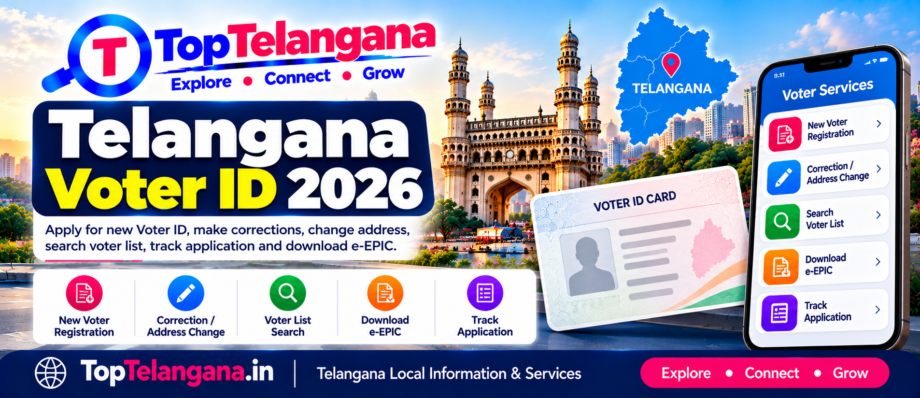
Telangana Voter ID 2026: Apply Online, Correction & Status
- October 11, 2026
- Telangana Government Services, Voter ID & Election Services
- 5 mins read
1. Who can apply for a Voter ID in Telangana?
You may apply for registration as a general elector if you:
Are an Indian citizen.
Are at least 18 years old on the applicable qualifying date.
Ordinarily reside in the constituency where you seek registration.
Are not otherwise disqualified under election law.
The Election Commission of India recognises four qualifying dates for electoral-roll registration: 1 January, 1 April, 1 July and 1 October. Check the current eligibility instructions on the official portal before applying.
2. How to apply for a new Voter ID online
New eligible voters can apply through the Election Commission of India’s Voters’ Services Portal.
Step 1: Open the official portal
Visit voters.eci.gov.in.
Step 2: Choose Form 6
Select the new voter registration option for eligible Indian residents.
Step 3: Complete the application
Enter your personal details, date of birth, Telangana residential address and other requested information.
Step 4: Upload supporting documents
Provide accepted age and residence evidence, along with any other documents requested by the form.
Step 5: Submit and save your reference number
Keep the acknowledgement or reference number so you can check the application status later.
Form 6 is the prescribed form for new general voter registration. The Electoral Registration Officer may arrange verification, including through a Booth Level Officer, before deciding the application. Submission does not guarantee automatic approval.
3. Documents required for Voter ID registration
Prepare the documents requested in the current Form 6 instructions. These commonly include:
Age proof: an accepted birth, school or other approved certificate.
Address proof: an accepted document showing your ordinary residence.
Recent photograph: if required by the application process.
Contact details: a mobile number or email address for portal access and updates.
The exact accepted documents and alternatives are specified in the official form instructions. Do not upload false information or documents belonging to another person.
4. How to correct your Voter ID details
If your name, photograph, date of birth or another eligible entry is incorrect, use Form 8 through the official portal.
Visit Voters’ Services Portal.
Sign in or register as prompted.
Select Form 8.
Choose the relevant correction or replacement option.
Enter the correct details and upload supporting evidence when requested.
Submit the application and retain its reference number.
Form 8 also covers eligible requests for shifting residence, replacing an EPIC and marking a person with a disability (PwD) in the electoral roll.
5. How to change your address after moving
If you move to another address, submit a residence-shifting request using Form 8.
Enter your current electoral details accurately.
Provide the new ordinary residential address.
Submit the evidence requested by the portal.
Track the request and check the updated electoral-roll entry.
Do not submit a second new-voter application simply because you have moved if you are already registered. Use the appropriate shifting process instead.
6. How to check your name in the Telangana voter list
Having a physical Voter ID card is not a substitute for checking your electoral-roll entry. Before an election, verify that your name appears in the current roll.
Official electoral-roll search
Use the Election Commission’s search portal to look up your record.
Search Voter ListYou may be able to search using your EPIC number, personal details or registered mobile number, depending on the available search option. Select Telangana where required, complete the verification and review the result.
If your details do not appear, check spelling, constituency and other search information first. If the record is still missing, contact the appropriate electoral registration authority for guidance.
7. How to track a Voter ID application
To track a new registration or correction request:
Open the Voters’ Services Portal.
Sign in using the details requested.
Find the application-status or submitted-forms section.
Enter or select your application reference.
Review the latest status and any instructions for further action.
The Election Commission provides online application tracking and a citizen dashboard for submitted forms. Processing time depends on verification and the relevant electoral authority; avoid relying on unofficial promises of a guaranteed delivery date.
8. How to download a digital Voter ID (e-EPIC)
An eligible registered elector may be able to download an electronic EPIC through the official portal.
Open the Voters’ Services Portal.
Find the e-EPIC download service.
Follow the login and identity-verification instructions.
Provide the EPIC or application details requested.
Complete OTP verification where required and download the available file.
Eligibility and verification requirements may vary depending on your record and the service. Use only the official Election Commission portal.
9. Important Voter ID forms at a glance
Form | Purpose |
|---|---|
Form 6 | New voter registration for eligible residents |
Form 6A | Registration as an overseas elector |
Form 7 | Deletion or objection concerning an electoral-roll entry |
Form 8 | Correction, residence shifting, replacement EPIC or PwD marking |
These are the Election Commission’s standard forms; select the one that matches your situation.
Frequently asked questions
Can I apply for a Telangana Voter ID online?
Yes. Eligible residents can apply through the official Voters’ Services Portal using Form 6.
How can I check my Voter ID status?
Use the official portal’s application-tracking service and enter the reference details for your submitted application.
Which form is used to correct Voter ID details?
Form 8 is used for eligible corrections, residence shifting, replacement EPIC and PwD marking.
Can I download Voter ID online?
Eligible registered voters can access the e-EPIC download service through the official portal, subject to its verification requirements.
What if my name is missing from the voter list?
Search again using accurate details. If your name is still missing, contact the relevant Electoral Registration Officer or follow the official registration process. A physical card alone does not establish that your name appears in the current electoral roll.
Is Aadhaar compulsory for voter registration?
Follow the current Form 6 instructions and applicable Election Commission rules. Do not assume that Aadhaar is mandatory in every situation; check the official form guidance.
Conclusion
TopTelangana.in helps Telangana residents find useful information about voter registration, Voter ID corrections, address changes, electoral-roll searches, application tracking and digital EPIC downloads. Use the official Election Commission links to submit applications and verify your voter details.
Disclaimer: TopTelangana.in is an independent information platform and is not affiliated with the Election Commission of India or the Government of Telangana. Electoral procedures and requirements may change; always verify current instructions on official portals.